Filmora - cloud based AI speech to text

9 Easy Effective AI Powered Video Editing Tricks Using Filmora

9 creative way to use AI and make your videos stand out Using Filmora. Video editing can be time-consuming, but with Filmora’s powerful tools, you can enhance your videos efficiently. In this articles, you will learn nine creative ways to make your videos more engaging using Filmora’s features. Protect Skins Tones While Using LUTs Changing the overall color tone of your video with Lookup Table (LUT) is easy. Filmora offers preset LUTs that you can apply with just a few clicks. To maintain natural skin tones, use the Protect Skin Tones feature and adjust the slider accordingly, ensuring a balanced and natural look without wasting time. ...

May 3, 2025 · James Woo
FocuSee Screen Recording

AutoZoom Screen Recording - FocuSee

Making Video Tutorials Easier with FocuSee If you’re someone who does a lot of screen recordings, especially tutorials or software walkthroughs, you probably know how much time editing can take. If there were a way to automatically highlight important clicks, zoom in on key sections and even smooth out cursor movement? Well, that’s exactly what FocuSee helps you do. Getting Started When you first open FocuSee, you have a few choices: record full-screen, a specific window, or a custom area. If you want, you can also include your webcam, microphone, or headphones, but these are optional. Once you’re all set, just hit record, and you’re good to go. ...

April 24, 2025 · James Woo
An Oscar trophy depicting video editing

Video Editing Tips From The Oscars Even For Beginners

Elevate your videos by learning insights from Oscar-Winning films The Oscars in 2025 just wrapped up a few days ago, and films like “Anora” and “Dune” made a significant impact on the entertainment industry. As video creators, what can we learn from these masterpieces to enhance our own videos even as beginners? Here are some tips we can implement in our editing process to take our videos up a notch and create a more engaging experience for our viewers. ...

March 6, 2025 · James Woo
Shotcut playlist bins

New Features In Shotcut V25.01.25

Shotcut, has introduced several new features and improvements in its latest version 25.01.25. One of the feature that has been most requested is Bins. Here’s a breakdown of what’s new and how you can make the most of these features. Organizing Media with Bins One of the key updates in Shotcut is the ability to organize your media more efficiently using bins. Bins allow you to categorize your files based on type, such as video, audio, or even specific sources like a main camera or drone footage. ...

February 7, 2025 · James Woo
two separate photos turn into a realistic video

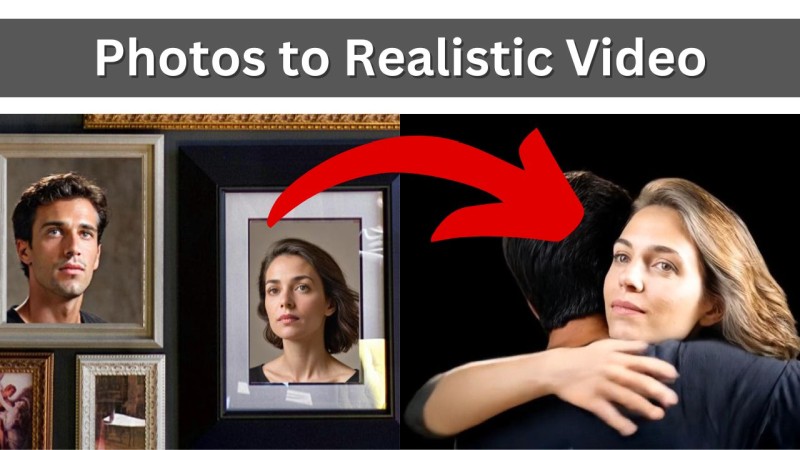
Turn Photos To Realistic Video With Filmora 14

How to turn photos into video and create a unique Christmas greeting for your family and friends. A note before we begin: - use this with care as some people may freak out with the result they see. Step 1 Get A Photo Or Two The first step is to get a photo or two. If you have a photo of the person together in the same photo, then one photo is enough. If not, then you will need two photos. ...

December 14, 2024 · James Woo
Drone shot using Google Earth Studio

How To Get Drone Shots Without A Drone With Google Earth Studio

Drone shot or drone clips can really enhance your video. It add extra perspective to your video and almost everyone won’t mind watching a few second clip of a city, building or even nature. Unfortunately, drones are expensive and you can’t fly them everywhere. Not to mention the skill you need to develop and flying it at the right time of day to get the best shots. With Google Earth Studio, you can get drone clips without even leaving the comfort of your home or office. ...

November 29, 2024 · James Woo
Animated text highlighted using Filmora

Animated 3D Text Highlight Filmora 14

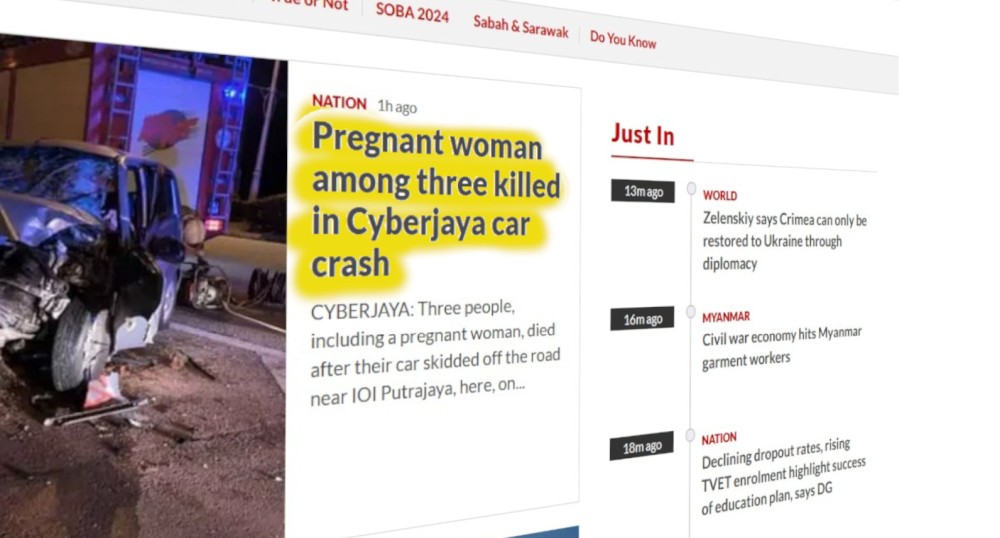
Animated text highlight is a great to get attention from your viewers. If you do it in 3D, it takes this effect to a whole new level. I’ll show you how to do this using Filmora 14. It can be done in other video editors as well. First Step Get a screenshot of an article you want to use. It can be a newspaper article or from your own slides or anything with text. ...

November 22, 2024 · James Woo
Shotcut AI speech to text

Shotcut Speech To Text With Whisper AI

Shotcut v24.10.29 is integrated with Whisper AI Speech to Text. This means that you can now generate subtitles for your project easily for free. With Whisper AI, it can also do translation. Take note though the the translation is one way as in original language to English. It doesn’t do English to a different language. Using it is simple. In the Subtitle tab, click on Detect language. Select the language and choose whether you want to include non verbal words like ‘aahs’ and ‘um’. Click on Ok and wait for the subtitles to be generated. ...

November 9, 2024 · James Woo
RecCloud - cloud based AI speech to text

RecCloud AI Speech To Text With AI Polishing?

RecCloud is a web based tool that can help you with creating, sumarizing, and editing videos. Here’s a brief over view of RecCloud with tools that I feel standout. These tools are based on present development and I’m sure they will improve over time. You can test it for yourself and there’s a link at the bottom of the article. Using the tool is straight forward. AI Speech To Text This is a key feature at this time. RecCloud can transcribe speech to text. This is nothing spectacular. However it has an ace up its sleeve. RecCloud can polish or edit the created text to remove fluff, unnecessary um and ahhs, wrong pronunciation and etc. ...

October 29, 2024 · James Woo
New Features in Filmora 14

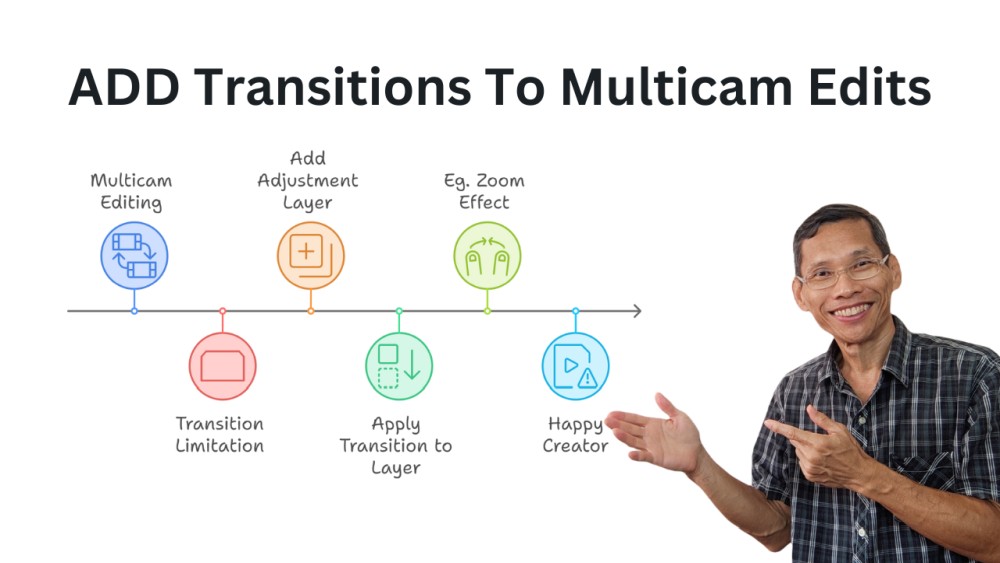
Adding Transitions To Multicam Edits In Filmora 14

Multicam editing is very good feature in Filmora 14. It allows you to switch quickly between multiple camera angles when you edit. If you are not sure how multicam works, then read this article here. One thing though, at this point, Filmora 14 doesn’t support adding transitions directly between multicam clips. If you want to enhance your video by adding transitions such as dissolves or fades, you are stuck. Howeve, I found a workaround which is to add an adjustment layer between two clips, and apply transitions to the layer. The above steps shows you how to do it in a graphical form. ...

October 10, 2024 · James Woo