Shotcut version 26.4.30 has some interesting new features. Most of the features doesn’t seem significant but it makes editing just that much nicer. Below are just some of the ones I like most.
Timeline Transition Symmetric Resize
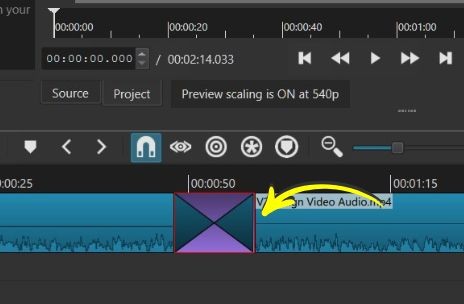
The name is a bit of a mouthful however this feature makes adjusting the length of a transition so much nicer. Dragging the handles of a transition now is symetrical, which means your transition won’t move ever so slightly. Makes editing faster too since you don’t have to adjust both ends of a transition.
Watch the video below to get the gist of it.
Drag Recent Files To Timeline
This feature allows you to drag any files you have opened in the Recent list to the Timeline. It is very useful for files that you use regularly, for example intros or outtros. Or perhaps a watermark or anything that you use regularly. You don’t have to go hunting for the file.
GPU Support For Speech To Text
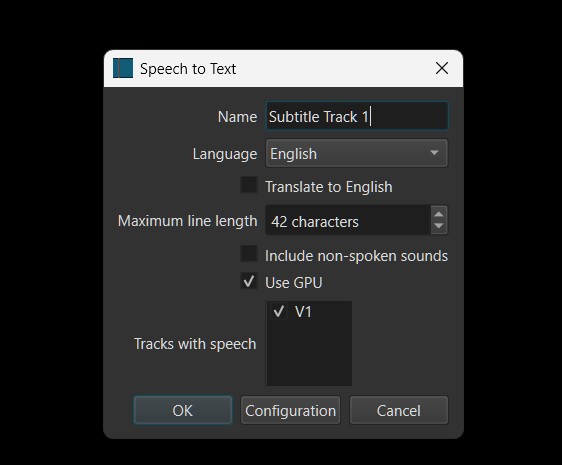
You can now select GPU to process Speech to Text. If you have a strong enough GPU, it shortens the time needed to generate the text. I use a GTX GPU and found that the time taken is reduced significantly. It saved me a ton of time when I needed to create closed captions for my online training courses.
I suggest you test it out on your computer to see which works better in case your GPU isn’t fast enough.
Add Cover Art To Your Video
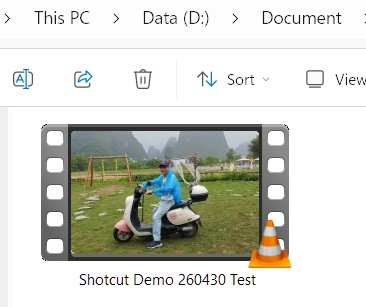
In the Export files section, you can now add your own Cover Art to your video. It is useful when you see your video files in a folder to know what that video is showing. It is also great for some social media sites since some sites automatically selects the first frame to display online.
Typewriter Text Option For Burn In Subtitles
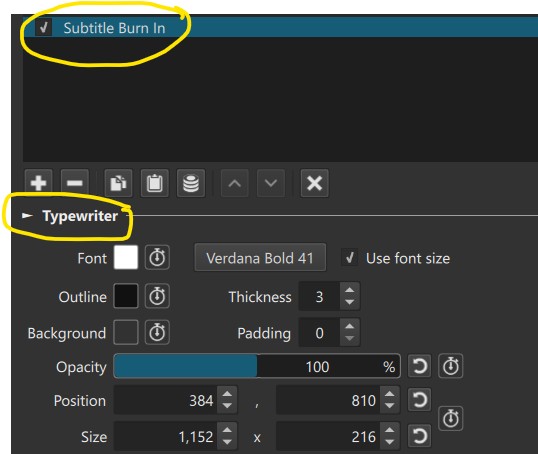
A great option if you want to use subtitles or closed captions. This allows you to see the typewriter effect for your subtitles.
There are several other changes as well. Go to the Shotcut website to read them all.
Video Review And Tutorial
If you prefer video, the following video shows the process and results.
Check out the Official Shotcut Training if you are interested to learn Shotcut fast.
Here’s a recent student’s testimony about the course
This is the easiest, clearest and most informative instruction on Shotcut I have ever seen. James teaches in quick, clear, controllable lessons that can work at your own personal pace. Excellent!" – STan, post-pro hobbyist.
Note - I used a different screen recording software for this tutorial. Here’s my review up on FocuSee.