NoteGPT Review: Is This A Effective AI-Powered Research and Note-Taking Tool
Managing Information Overload with AI
We’re living in an age where information comes at us from every direction, faster than ever before. Whether you’re a student, an entrepreneur researching your market, or a content creator like myself, trying to keep up with everything can feel overwhelming.
That’s where AI tools comes in. In this article I want to share my experience with NoteGPT, a specialized tool designed to help you summarize content, research and generate notes.
It can also help with other creative task like creating powerpoint like presentations, but I’m getting ahead of myself.
What is NoteGPT?
NoteGPT is an AI-powered tool that helps you summarize various types of content, including YouTube videos, PDFs, PowerPoint presentations, images, and audio files. You can even upload your own videos for summarization.
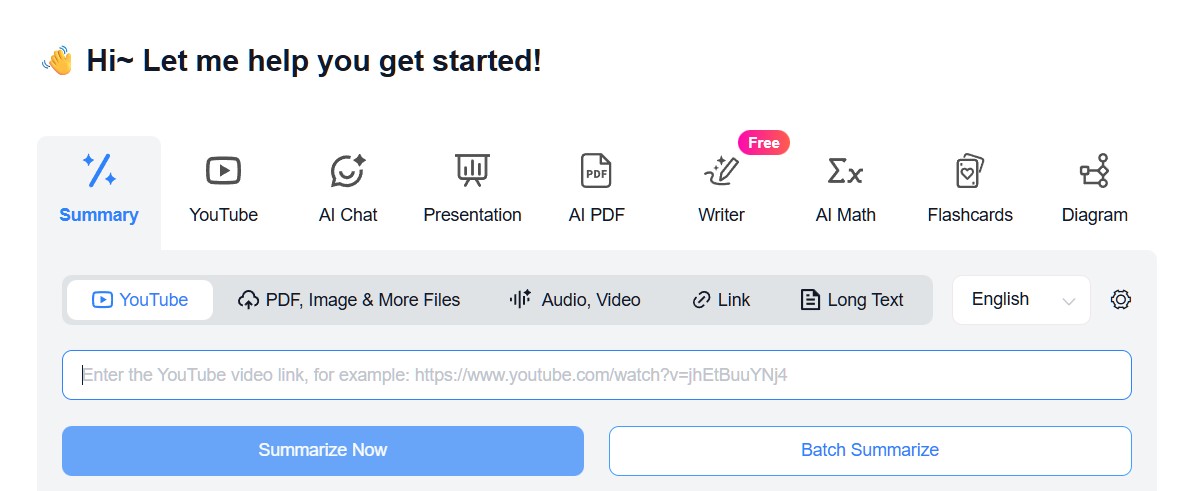
While you can use tools like ChatGPT, Claude, and Copilot, NoteGPT is created such that it enhances the process further making it faster and easier.
Built-in Search: Research Without Switching Tabs
One feature I particularly appreciate is NoteGPT’s built-in search function. Instead of going to YouTube, finding videos, and then copying URLs to summarize them, you can search directly within the tool.
For example, if I want to find the “best note-taking AI app,” I can search right in NoteGPT and get relevant videos with view counts, thumbnails, and upload dates. This gives me context about how popular and recent the content is—essential information when doing research.
Flexible Summarization Options
Once you select a video to summarize, NoteGPT offers several summary formats: smart summary, chapter summary, and core points. Each option gives you a slightly different perspective on the content.
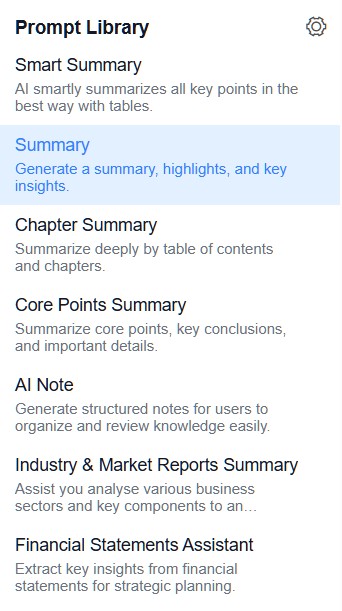
You can also customize your summaries with tables, chapter breakdowns, or even chat with the AI about specific aspects of the video. There’s a settings feature where you can set your default prompt style and choose between in-depth or brief summaries, plus adjust the tone—all without typing lengthy prompts each time.
Beyond Note-Taking: Creating Presentations and Visual Content
Here’s where NoteGPT goes beyond simple note-taking. After summarizing content, you can ask it to create PowerPoint presentations based on the material. I tested this with one of my own videos, and the results were impressive.
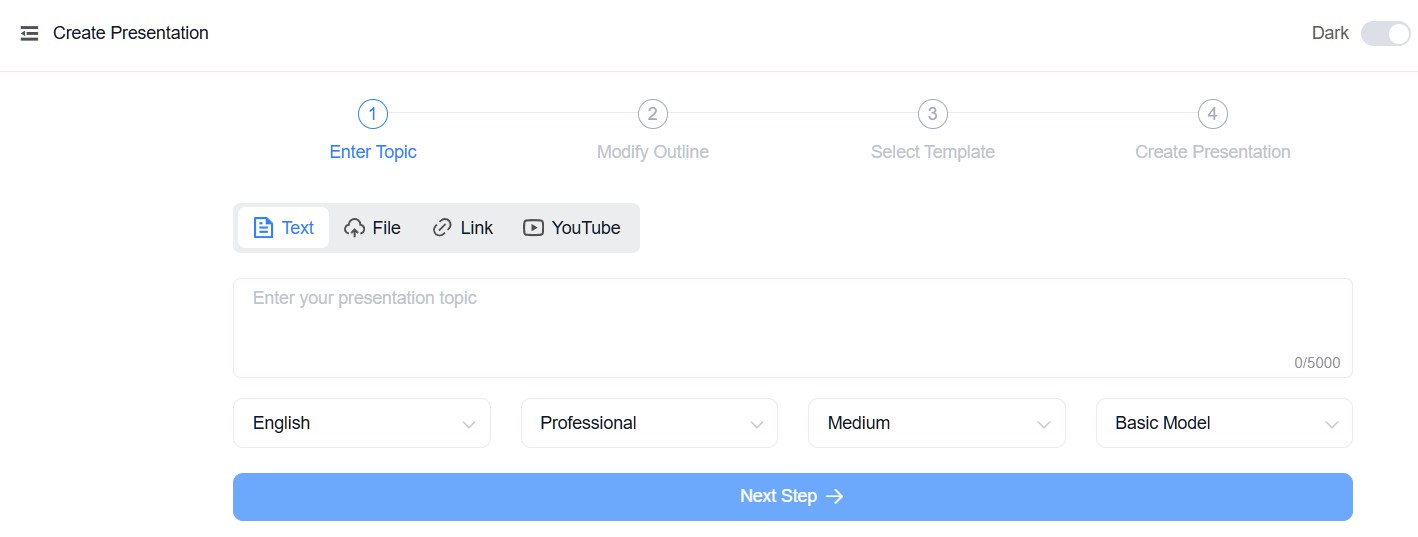
It generated slides that I could use with just minor adjustments. The tool can also create diagrams and mind maps, making it versatile for different learning and presentation styles.
AI Content Generator for Fresh Ideas
When I need inspiration for video topics, I use NoteGPT’s AI generator. I set my preferred tone (friendly, in my case), select my language, and ask it to generate ideas. For instance, asking for “five ideas about NoteGPT” gave me interesting angles I hadn’t considered.
It’s a great way to stimulate your thinking and catch things you might have overlooked.
Browser Extension for Seamless Integration
NoteGPT offers a Chrome browser extension that sits right beside YouTube videos, allowing you to summarize and chat about content if you prefer using your browser. This integration makes the research process even smoother, as you can work with two interfaces: the main web browser or the convenient sidebar extension.
Pricing Considerations
NoteGPT is a paid tool with a free trial option. The pricing is approximately $15 per month if you pay annually, or $29.90 monthly. There’s also a Pro monthly option for around $10.
For comparison, ChatGPT costs about $9 USD per month and offers access to GPT-5. NoteGPT’s AI chat feature includes DeepSeek 3, DeepSeek R1, GPT-4o, with others coming soon.
So while ChatGPT might have the latest language models, NoteGPT offers specialized features that make it excel at its primary purpose: research and note-taking.
Video Runthrough And Review
Final Thoughts
Is NoteGPT worth trying? I think so, especially if you do a lot of research or content creation. The tool excels at organizing information, generating summaries, and helping you create supplementary materials like presentations and mind maps.
While it may not have the absolute latest AI models that general-purpose tools offer, its specialized features and streamlined workflow make it valuable for specific use cases.
My suggestion is to test it out for yourself. With so many AI tools launching these days, it’s worth experimenting to find what works best for your workflow. If you’ve tried NoteGPT or have other tools to recommend, I’d love to hear about your experiences!
Click here to try NoteGPT.