Introduction
AI video tools are evolving at lightning speed. What used to take a full production team can now be done in just a few hours with the right software. In this article, I’ll walk you through how a short cinematic scene was created using Cinema Studio in Higgsfield AI together with Nano Banana Pro.
I’ll show you how easy it is to produce professional looking video content even if you are just starting out.
Getting Started with Cinema Studio
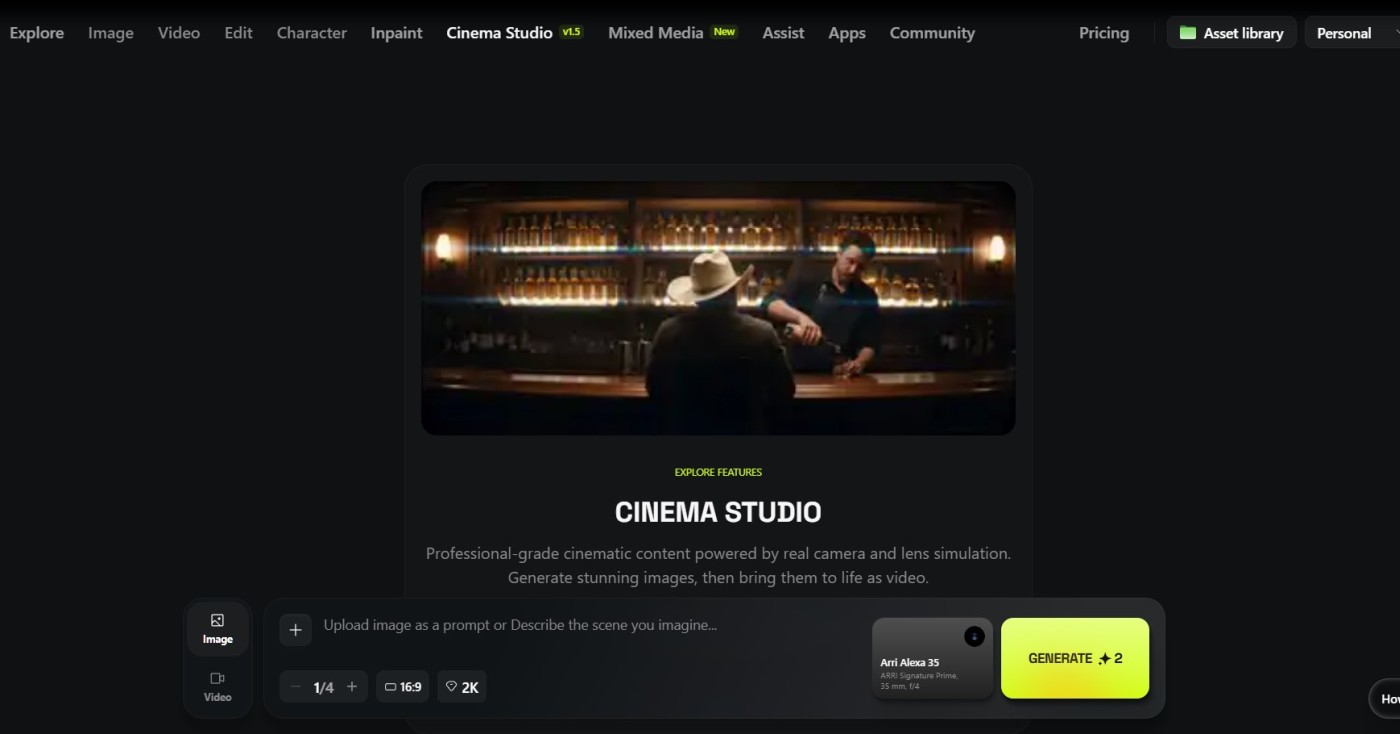
First, go to Higgsfield AI. Click on the Cinema Studio tab. Once inside, you’ll see options for both image and video generation.
Step:-
-
Image prompts - Start by typing a descriptive prompt. For example, “a person in a control center with a large screen showing a world map with major cities in red dots.”
-
Camera settings - Next, you choose camera profiles like Arri Alexa 35, and experiment with lenses such as Iris Signature Prime or Panavision C Series for anamorphic effects.
-
Focal length and aperture - This allows you to decide on the field of view, and the depth of field for wide cinematic shots.
Click on generate to create the image. You can decide on the number of images up to 4, the width to height ratio, and the resolution. This allows you to generate multiple variations of your scene before moving into video.
Multi‑Shot for Creative Angles
One of the standout features in Cinema Studio is multishot. Instead of sticking to a single frame, the tool generates up to nine creative angles of the same scene.
- Pick the shots that best push your story forward.
- Upscale selected images to 4K for higher quality.
- Use these angles to add variety and realism to your short film.
This is a game changer since it allows you to visualize and test multiple angles. Multishot gives you the ideas and the flexibility to mimic professional cinematography.
From Images to Video
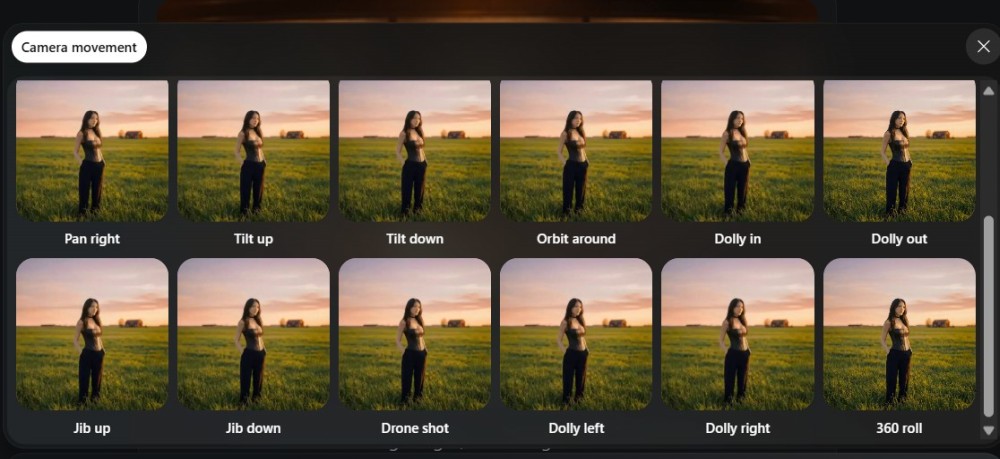
Once you’ve selected your images, it’s time to switch to video generation.
- Start frame: Choose an upscaled image or upload your own.
- Camera movement: Options include zoom‑in, handheld, or static shots depending on the mood.
- Duration & aspect ratio: Set clips to 5–10 seconds in cinematic ratios like 16:9 or 21:9.
- Dialogue & audio: You can instruct the AI to generate speech for characters, adding realism to your scene.
For example, typing a prompt like “The woman says, ‘Sir, the missile has exploded’” will generate a clip with synchronized dialogue.
Integrating Nano Banana Pro
While Cinema Studio handles most of the heavy lifting, Nano Banana Pro comes in handy for additional image generation.
- Use it to create alternative visuals or upload custom images.
- Combine Nano Banana outputs with Cinema Studio for continuity across scenes.
- This hybrid workflow allows you to start from prompts or from your own assets.
Tips for Better Results
- Experiment with lenses: Anamorphic lenses add a cinematic flair.
- Use 2K resolution: Faster generation while still maintaining quality.
- Leverage multi‑shot: More angles give you more storytelling options.
- Upscale to 4K: Essential if you plan to showcase your video on larger screens.
Video Overview
If you prefer video, the following video shows the process and results.
Final Thoughts
If you are new to Higgsfield, it will take a bit of time to get the hang of things. Take your time to experiment and you will be able to polish your prompts and video to get an amazing video.
Tools like Cinema Studio and Nano Banana Pro are lowering the barrier to entry for filmmakers, content creators, and educators.
Frequently Asked Questions (FAQ)
❓ What is Cinema Studio in Higgsfield AI? Cinema Studio is an AI tool inside Higgsfield AI that lets you generate cinematic images and videos using prompts, camera settings, and multishot angles. It’s designed to mimic professional filmmaking techniques without requiring expensive gear.
❓ How does Nano Banana Pro fit into the workflow? Nano Banana Pro is another Higgsfield AI tool focused on image generation. You can use it to create alternative visuals or upload custom images, then integrate them into your Cinema Studio projects for continuity and variety.
❓ Can I really make a short film in just a few hours? Yes. The example in this article was created in about 3 hours. With practice, you can streamline your workflow even further, especially by using multi‑shot and upscaling features to quickly generate multiple angles.
❓ Do I need professional filmmaking knowledge to use these tools? Not at all. While knowing about lenses, focal lengths, and camera movements helps, Cinema Studio provides presets and intuitive options that make it accessible to beginners.
❓ What resolution should I use for AI video projects? You can use 1K, 2K up to 4K.
❓ Can I add dialogue or audio to AI‑generated videos? Yes. Cinema Studio allows you to type prompts for dialogue, and the AI will generate speech for your characters. You can also add audio effects to enhance realism