
If you are a sole proprietor in Malaysia and confused about how to set up your profile in the MyInvois system in LHDN, here’s how to do it.
Why Provide E Invoice When My Business Is Below The Requirement?
Even if your business fall below the requirement for issuing e invoices, you are likely supplying goods or services to larger businesses that requires you to give them an e-invoice. If you don’t provide e invoice to them, it is more troublesome to claim expenses. Thus you could lose business to others who do provide e invoice.
This steps assume that you already have registered with the Registrar of Business in Malaysia, ROB, also called Suruhanjaya Syarikat Malaysia, SSM in Malay. If you have been doing business without registering your business, now is a good time to do it.
Process To Link Business Registration Number To TIN For Sole Proprietor
This process below will link your business registration number to your tax indentification number, TIN.
You will need your:-
- TIN
- Business registration number
- Business Cerfificate
Go to mytax.hasil.org.my and login.
If the registration as a Business Owner has not been completed, you will see Individual only under the Role Selection.
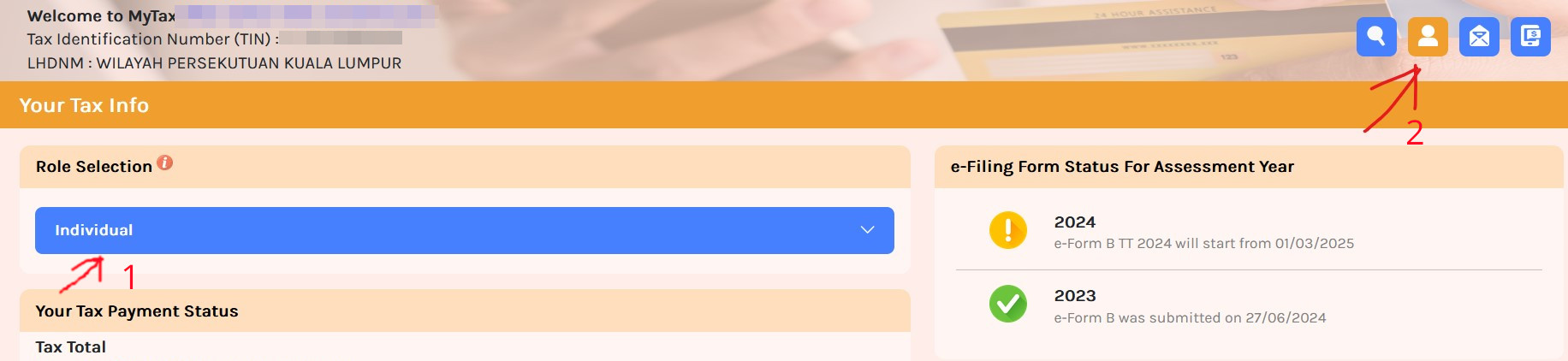
Next click on Profile tab (No. 2 in the image above) to go to the Profile page.
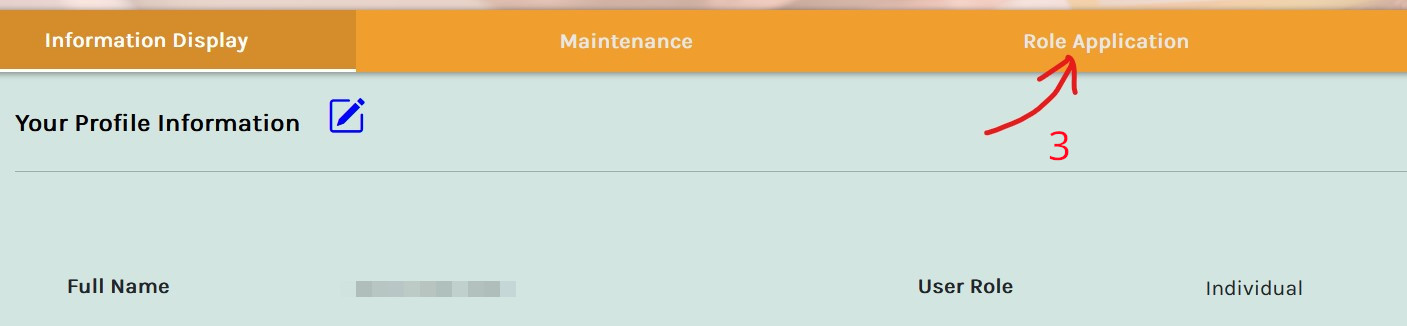
Once you are at the profile page, click on Role Application item No. 3 below.
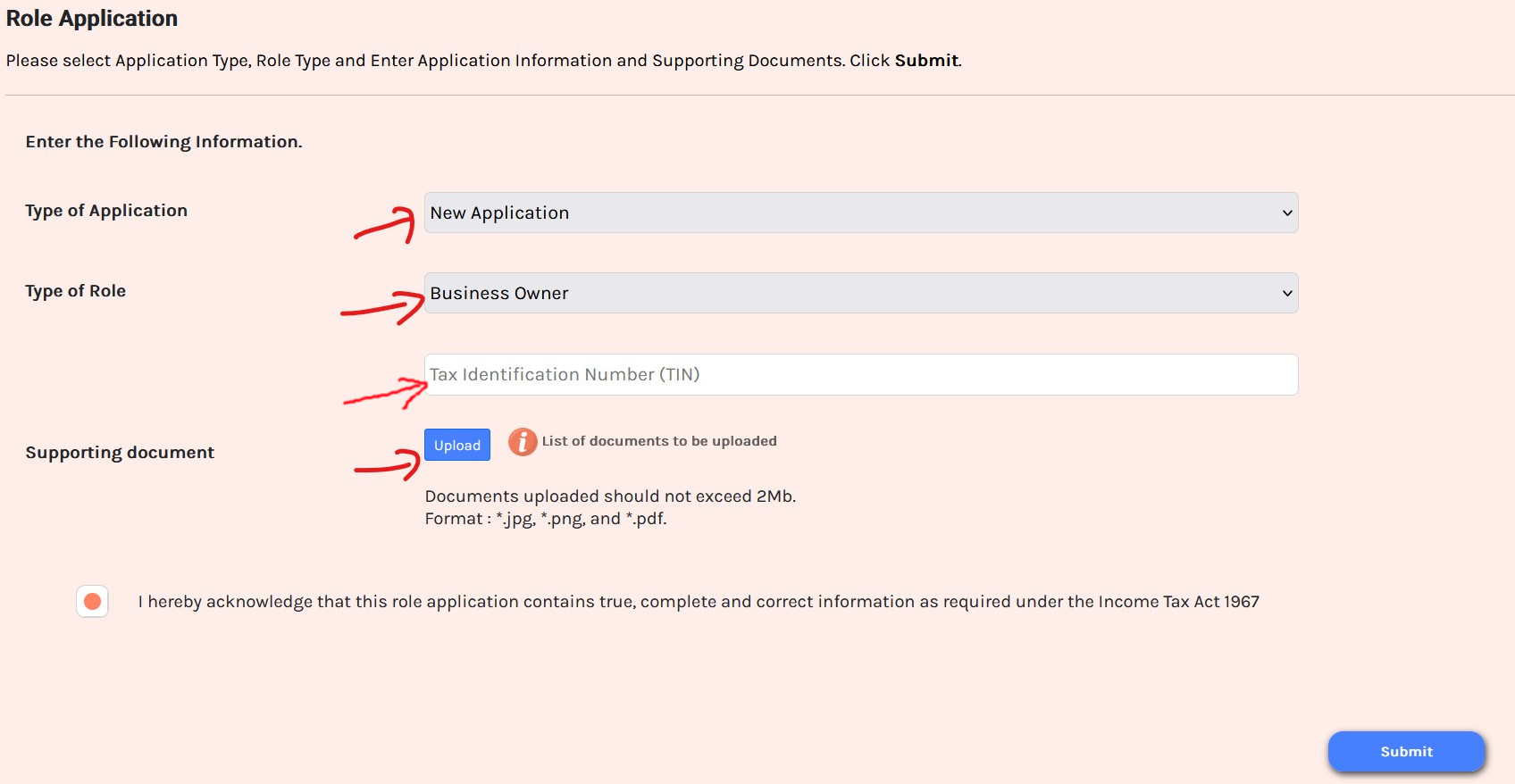
Fill the neccessary information in this page.
Enter the following data:-
- Choose New Application
- Set Type of Role as Business Owner.
- Enter your personal tax identification number, TIN.
- Upload the SSM certificate related to your business.
- Tick the acknowledgment box to confirm the details.
- Click Submit.
Next a pop up will tell you to Sign and Submit. It requires you to enter your login password to the mytax website.
Once submitted, a signature view will be displayed. Complete the required steps to digitally sign the application.
You will see the following to confirm that you have submitted the application.
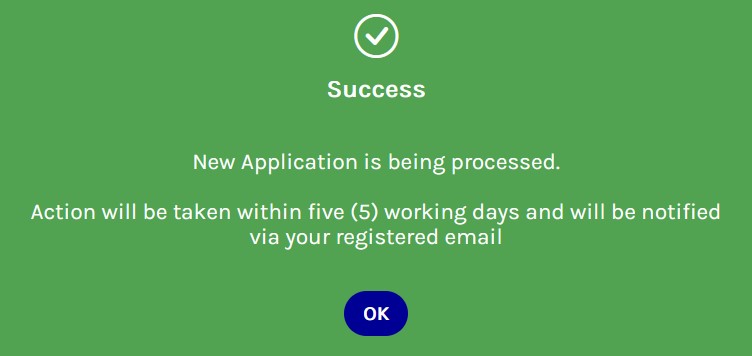
It will take 5 working days for LHDN to process this application.
You will receive an email regarding the outcome of your role application. Once approved, the Business Owner role will be accessible from the role selection list on the MyTax dashboard.
Submitting An E-Invoice
Once the above is done, you will be able to switch to the business owner profile in the MyInvois portal and/or MyInvois app as well.
You will be able to create e-invoices using the LHDN website or with a smartphone app. Both these methods require multiple steps to create an e-invoice.
At present, I only need to issue a handful of e-invoice (if at all) so will likely use the MyInvois portal. However, things may change and it is always good to keep up to date of such things.
There is another way you can create e-invoices which is to use accounting software.
If you create only a handful of invoices a month, then it shouldn’t be a problem using the MyInvois portal.
However, if you need to create more than a handful of e-invoices each month, it will be tedious. If you do not use an accounting system, it might be a good idea to start now and consider Bukku.
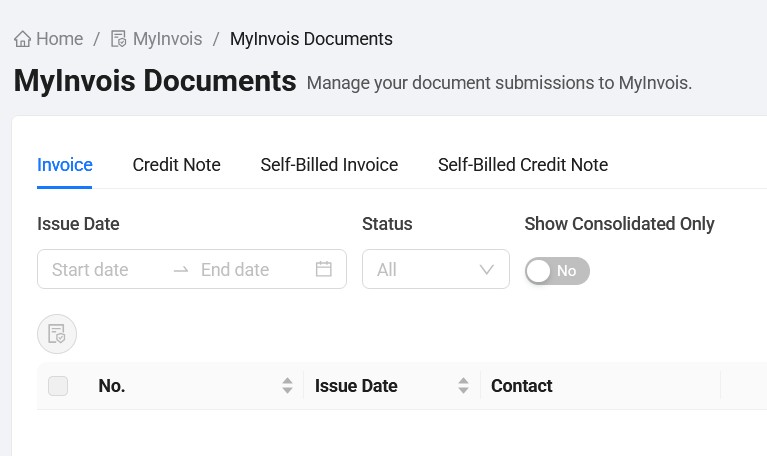
Bukku accounting is an online accounting software based in Malaysia and their software is e-invoice ready. They have a free plan (with reduced functionality) that allows you to create and receive e-invoices. It is something you can test.
I’m not affiliated with them in any way and found them while researching for a suitable software for myself. Hope you found the information helpful.
There are also groups on FB that shares information about e-invoicing in Malaysia. Some provide training, others are service providers. You may want to check them out as well.
Built With Hugo
This site is built with Hugo, a static site generator. It is fast, secure and mostly free. You can host a static site for free these days. I used to use Wordpress but switched to Hugo a few years ago. I only pay for my domain name.