If you want to have finer video playback speed control, here’s one way to do it. Below are the steps.
Install Chrome Extension Called Video Speed Controller
Search for “Video Speed Controller extension” and it will lead you to this page.
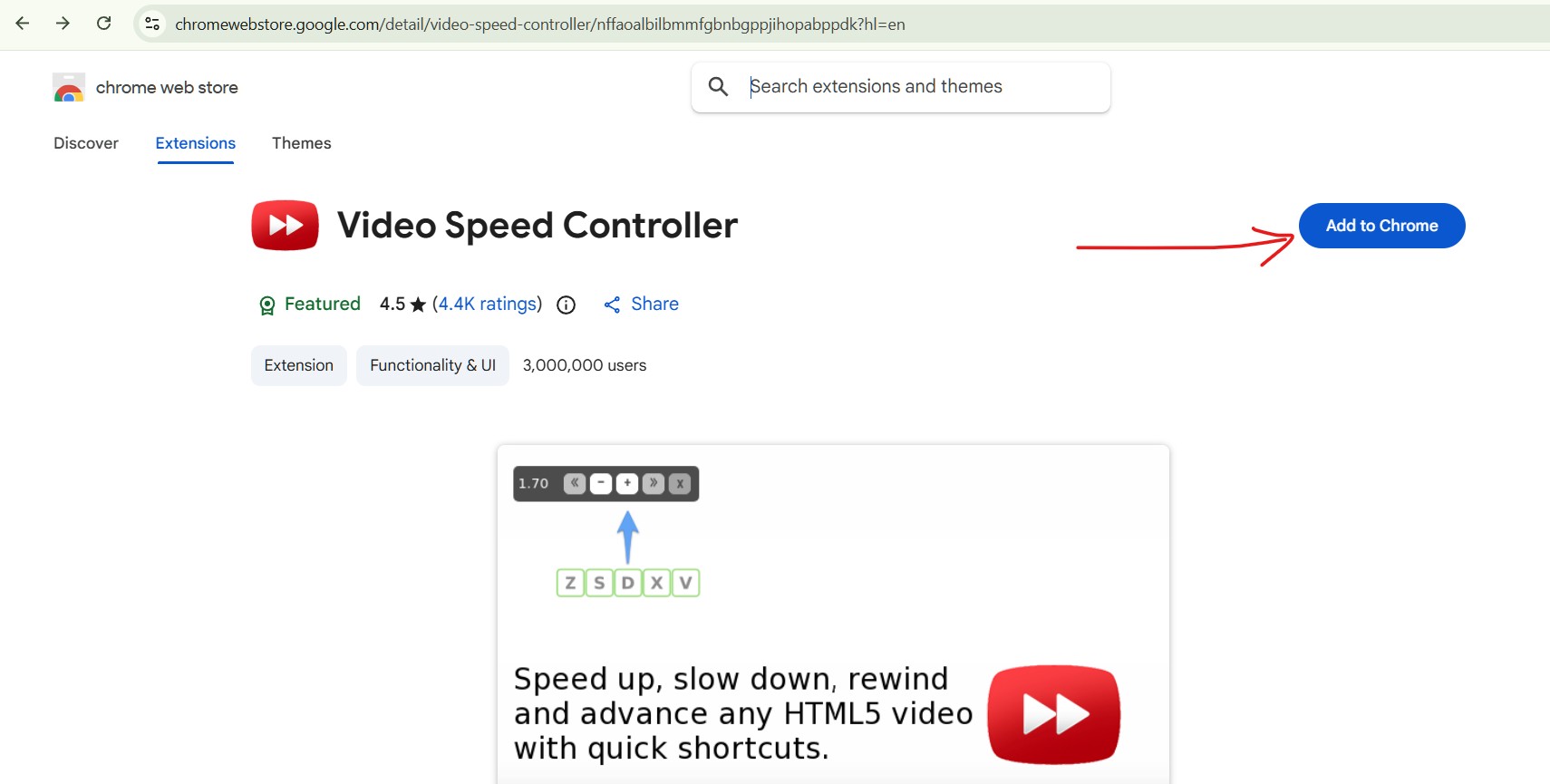
Click on the blue button to Add the extension to your Chrome browser.
Turn On The Extension
Click on the menu on the top right, scroll down to Extension, and click on it.
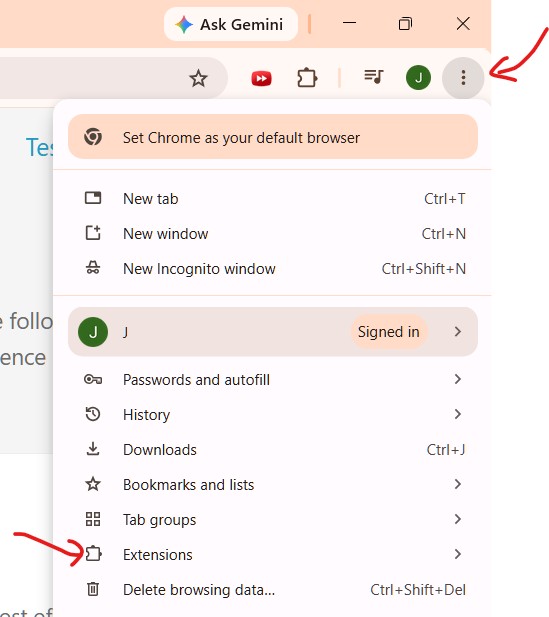
This will take you to the Extensions page in Chrome browser below
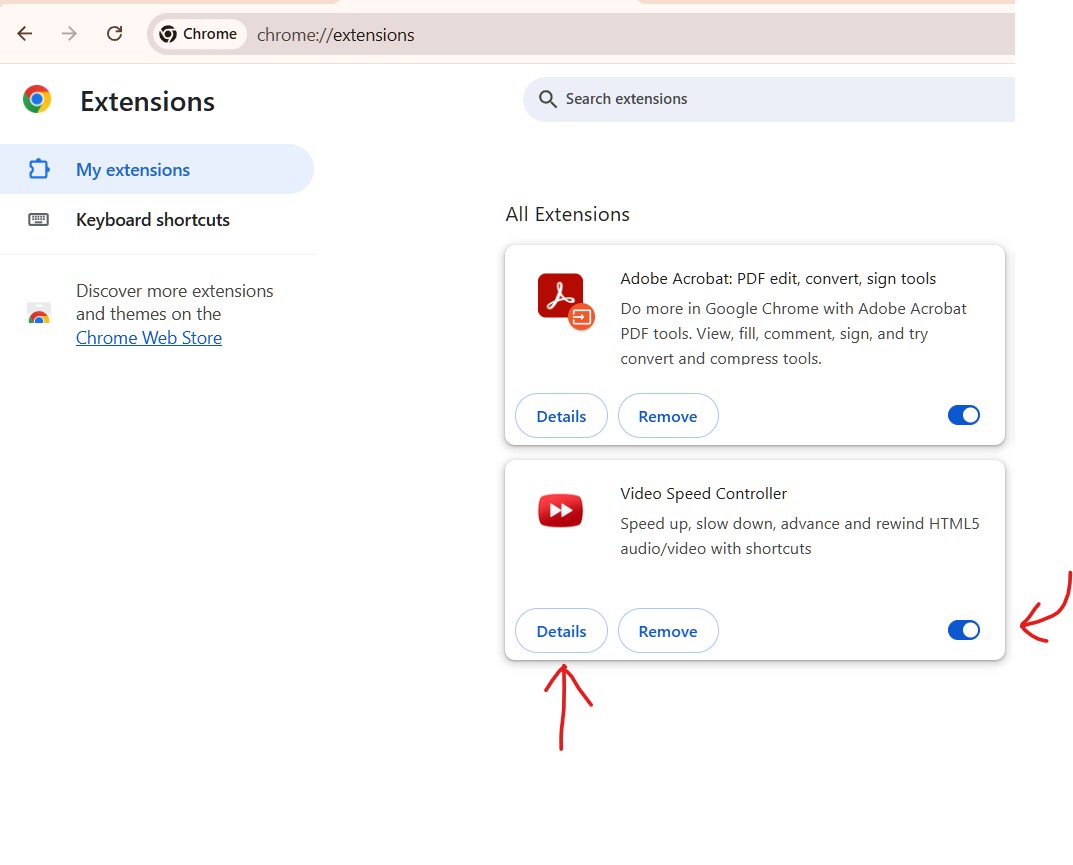
Make sure it is turned On. Then click on the “Details” button.
Pin To Toolbar
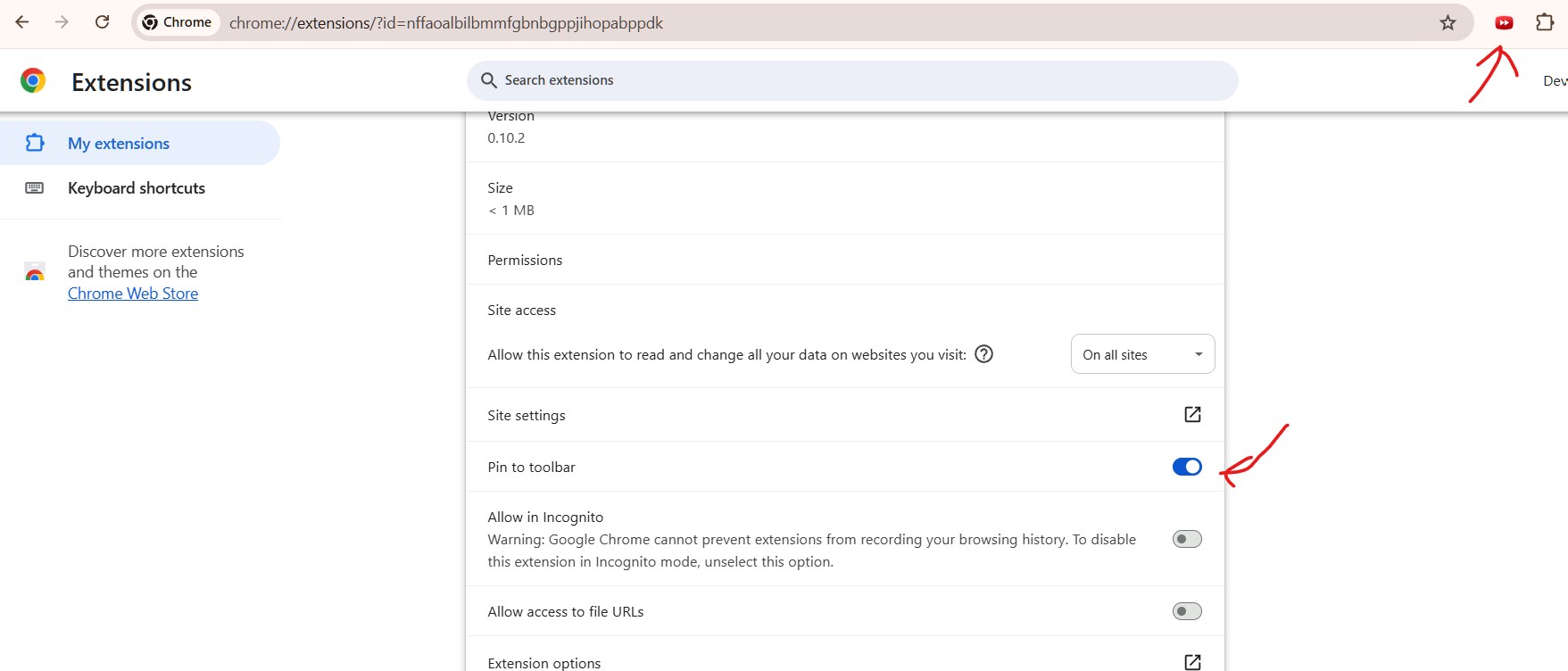
Scroll down and make sure the Pin to toolbar is turned ON
How To Use And Adjust Video Playback Speed.
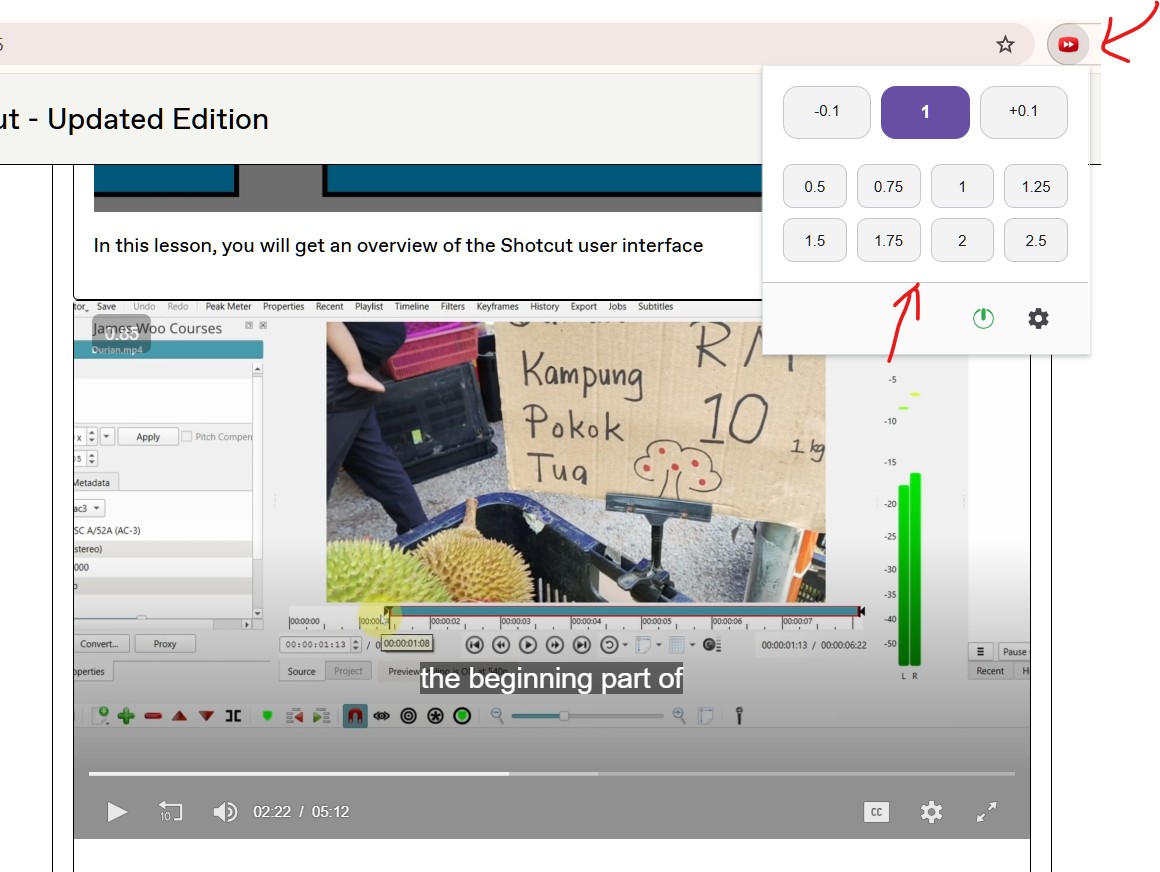
On any page where a video is playing, you can adjust the speed by clicking on the Speed Controller button on the toolbar. A menu with speed selection will pop up.
Select the playback speed you want. Use -0.1 or +0.1 for finer speed control.